WooCommerce development services

I build WooCommerce stores for businesses that need a clear buying journey and practical day-to-day management. You work directly with me on the catalogue, checkout, agreed integrations and handover.

Starter store from PLN 2,999 net

View WooCommerce dashboard

No login needed. The demo is read-only and uses sample products and orders.

Your Store Sample Data
Sales overview Sample Week
Order value: PLN 8,740
Orders 38
Sales during the week PLN
2k 1k 0 Mon Tue Wed Thu Fri Sat Sun
Orders under control
Paid In progress
Store dashboard visualisation · sample sales results

What kind of store do you want to create?

Choose your starting point. I'll tailor the scope, number of products, and integrations to your sales. I price each option individually.

Starter store

For a small collection, craft business or brand starting to sell online.

What does this variant include?
  • WordPress + WooCommerce
  • Homepage, catalogue and product pages
  • Shopping cart and order form
  • Configuration of agreed payment and delivery methods
  • Product and order dashboard
  • Contact form
  • Mobile and desktop versions
  • Technical SEO foundations and user instructions

Choose if you need a simple store with a clear purchase path.

from PLN 2,999 net

Estimated delivery time: 10–15 business days

Ask about this variant

Store with a larger catalogue

For brands with more categories and product options, where customers need help finding the right item.

What does this variant include?
  • Starter store scope
  • Extensive category structure
  • Product variants, e.g. size or colour
  • Filtering by agreed attributes
  • Catalogue search
  • Collection or brand subpages
  • A blog, where agreed
  • Importing the agreed catalogue from a prepared file

Select if customers need help finding the right product.

from PLN 4,499 net

Estimated delivery time: 15–20 business days

Ask about this variant

Store with integrations

For sales that you want to connect to your warehouse, accounting or other channels.

What does this variant include?
  • Scope of the larger-catalogue store
  • Analysis of sales management methods
  • Connections to agreed systems
  • Synchronisation of selected data
  • Automation of established activities
  • Order and data flow tests
  • Integration documentation

Select if you want the store to work with tools you already use.

from PLN 5,999 net

Estimated delivery time: 20–30 business days

Ask about this variant

Starting prices apply to the basic scope described. Before ordering, we agree the product and category count, payment methods, shipping, integrations, materials and revision rounds. You receive a full price for that scope. New features and paid licences are agreed separately.

The lead time is calculated from the agreed-upon commencement of work and receipt of all materials. The exact deadline is confirmed before accepting the order. Changes to the scope, pending approval, or activation of external services may extend this time. The integration option assumes pre-built connections. Custom integrations and large migrations require a separate schedule.

Don't know where to start?

Answer a few questions. I'll help you choose the option that best suits your sales needs.

WooCommerceWordPress

I create stores on WooCommerce.

WooCommerce is a WordPress extension that turns your website into a store. It adds products, a shopping cart, ordering, and a sales panel. I configure it around your products, payment methods and delivery options.

What is WooCommerce and how does it work? Read the guide

Day-to-day management

You add products and photos, change prices and manage orders in one dashboard. At handover, I show you how to use it.

Control over the store

The store runs on your domain and chosen hosting. You have access to your data and can change the hosting provider or the contractor managing the store.

Room to expand

You can start with a small catalogue and add additional features and integrations over time. I select extensions based on your sales needs.

See how you can operate the store.

A short animation I created, showing products, orders and statistics. The sample dashboard illustrates how a WooCommerce store can be managed.

Animation by ActiveAI · 24 seconds · no sound · sample data

What does the video show?

Adding products, updating prices and stock, managing orders and checking sales figures. When I hand over the finished store, I show you how to use its dashboard.

Payments, Shipping, and WooCommerce Integrations

Your store should align with how you accept payments, ship products, and process orders. Before providing a quote, we determine the specific services and data that will flow between systems.

Store payments

We agree how customers can pay: bank transfer, card or another method supported by the chosen provider. Before implementation, I check WooCommerce integration options and merchant account requirements.

Within the agreed scope, I configure the connection and test an order and its status after payment. Merchant account activation and provider fees are separate parts of launching sales.

Delivery and collection

You specify the countries you sell to, product dimensions, carriers and delivery options. We then agree methods such as courier delivery, collection points or local collection, and when they are available at checkout.

The customer's shipping selection and the shipment itself are two different things. If you need labels or tracking numbers in the dashboard, I verify the appropriate integration and include it in the quote.

Inventory, Invoices and Other Channels

Provide the names of the systems you already use and indicate the source of pricing and inventory. We determine whether the connection should transmit products, orders, documents, or fulfilment statuses.

I verify the availability of the ready-made solution, synchronisation scope, and licensing costs. Before launch, I verify the agreed-upon flow using test data. Non-standard connections require separate analysis.

The price of the variant only includes the configurations and connections listed in the offer. Additional methods, paid extensions, and subscriptions are confirmed before ordering.

Learn about the scope of system integration

View products and orders in the demo panel

Extras

Expand your store with features that support your sales process. If the add-on is already covered by the agreed-upon scope, I won't charge you again.

Product descriptions and photos

Writing descriptions, selecting and preparing images, and organising catalogue materials.

Migrating an existing store

Transfer of agreed products and content, preparation of redirects and a store transition plan.

Additional languages and currencies

Expansion into agreed languages, currencies and markets. Translations and billing requirements are agreed separately.

Invoices, warehouse and accounting

Connecting the store to the selected tool. I verify the data scope, integration availability, and fees before providing a quote.

Newsletter and automatic messages

Configuration of sign-up forms and agreed messages, such as abandoned checkout reminders.

Sales statistics

Implementation of agreed-upon metrics that help analyse purchases and the customer journey, along with consent management.

Digital Products and Subscriptions

Selling files, access, or recurring products. I choose the delivery and payment method based on the sales model.

Additional payment and delivery methods

Extra payment providers, local collection or specific delivery rules.

Custom features

Product configurator, personalisation, wholesale or any other feature tailored to your needs.

Need more? Let me know!

From idea to first order.

You speak directly with me. I personally design the project, implement the store, and show you how to use it.

Your client portal. After placing an order, you receive a client portal for materials, images, project decisions, progress and access details. Once the store is ready, its separate dashboard is used to manage products and orders.

Get to know me

Already have an order? Complete your store brief

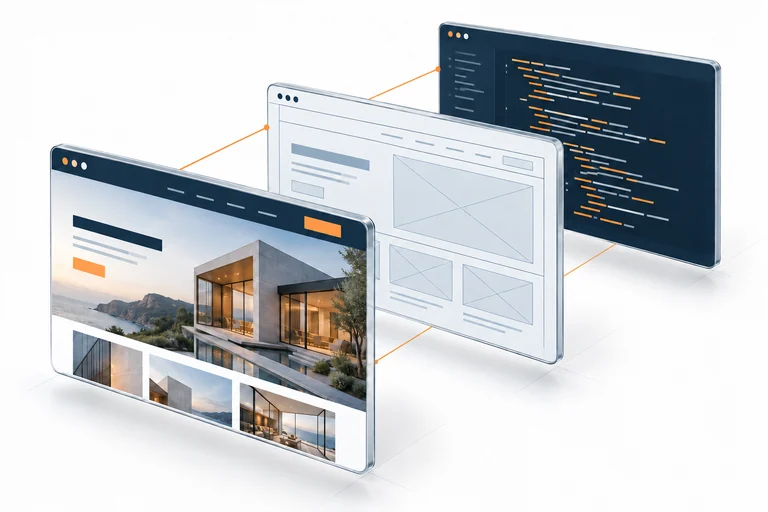
Visualisation of website design and development

Conversation and quote

I learn about the products, customers, and order fulfilment process. We determine the scope, number of products to be introduced, deadlines, and rounds of revisions.

Catalogue and design

I organise categories and materials. I prepare the store layout, product pages, and purchase paths, which you approve before implementation.

Implementation and testing

I test the shopping cart, delivery choices, messages and agreed payment methods in test mode. I check checkout on mobile and desktop.

Launch and handover

I publish the approved store on your domain. I grant access and demonstrate product, stock, and order management.

What influences the price of a store?

Provide the approximate catalogue size, product type, and desired features. If you already have a store, include its address.

How much does a WooCommerce store cost? Read the guide

Describe your store for a quote

Catalogue and materials

Number of products, variants, categories and preparation of descriptions and photos.

Design and features

Custom design, additional views, languages and specific sales rules.

Integration and migration

Connections to systems and transfer of agreed data from the current store.

Store maintenance costs

Creating a store is a one-time cost. Consider the services needed to run it separately—I verify their costs before implementation.

Hosting and domain

I recommend hosting based on catalogue size, traffic and integrations, checking both introductory and renewal prices. If you do not have hosting or a domain, I can help choose and configure them.

Payments and deliveries

Transaction fees and delivery costs depend on your agreements with payment providers and carriers. They are not included in the store development price.

Licences and tools

Paid add-ons, integrations, and subscriptions are included in the breakdown before purchase. You'll be informed about one-time and recurring costs.

Store maintenance

Updates, backups, and technical support require a set scope. You can outsource regular maintenance or individual tasks to me.

Explore my website and store maintenance service

A store's SEO starts with its structure.

Categories help customers find products and search engines understand the offer. I prepare the basics while building the store; we can discuss further SEO activities separately.

Categories and product pages

I organise the agreed-upon catalogue, category names, headings, and subpage titles. We determine what descriptions, images, and parameters are needed to present your products.

Indexing and URLs

I review the sitemap and indexing rules. During migration, I establish redirects to ensure that old URLs lead to the correct products and categories.

Shopping on mobile

I check the readability of the product page, the selection of variants, and the shopping cart and order form. The customer should be able to conveniently move from offer to purchase.

Learn about the scope of further SEO activities

Real project: improving an existing WooCommerce store

My portfolio includes work on a live store, covering the customer journey and the data used to manage sales. The client’s brand and internal information remain confidential.

The need

Improvements were needed across checkout, navigation on small screens and catalogue data linked to the company’s ERP. This was development of an existing store, rather than a new store built from scratch.

The work

I made changes to the order form and mobile navigation, worked on catalogue data and ERP synchronisation, and handled maintenance and performance diagnostics. Each change had its own agreed scope.

How a change is accepted

For your project, we agree acceptance scenarios before implementation: the product and variant, cart, checkout fields, payment result and the relevant data flow. A working connection must be checked with the chosen systems; installing an extension alone is not an acceptance test.

What this case demonstrates

The case documents the areas I worked on. It does not claim a measured increase in sales or promise compatibility with every ERP. Your current setup and the proposed connection need their own assessment.

Sales integrations

Working on the flow of products, orders, and delivery data between sales channels and the company's back office. Each connection requires validation of available data and system capabilities.

See integration examples

Read the WooCommerce project case

What we check before your store goes live

The agreed scope becomes a practical acceptance checklist. I record unresolved issues, dependencies and items outside that scope so you can make an informed launch decision.

Products and shopping on mobile

  • Agreed products, images, prices and variants are displayed correctly.
  • Customers can select a variant, add it to the cart and update quantities.
  • Navigation, product information and checkout remain usable on mobile and desktop.

Checkout, payment and delivery

  • Required fields and delivery rules match the agreed destinations.
  • The chosen payment method is tested in the provider’s test environment where available.
  • Order status and agreed customer notifications follow the tested scenario.

Integrations and migration

  • Selected data moves in the agreed direction between the store and connected systems.
  • Stock, order and status scenarios are checked with test data, including agreed error cases.
  • Migrated pages and redirects are checked where migration is part of the project.

Launch readiness

  • The store uses HTTPS and the agreed indexing and sitemap settings.
  • We confirm access, required licences and a backup arrangement within the agreed scope.
  • You approve the work and supply the store policies and business information needed for launch.

Test payments do not confirm merchant approval, settlement or every possible payment outcome. External account activation and legal documents remain separate launch requirements.

A store you can manage after handover

I explain the routine tasks using your agreed store setup. We confirm what is handed over, who owns each account and which changes need technical support.

Your accounts and access

You receive the agreed WordPress and WooCommerce access. The domain, hosting, payment and delivery accounts should be held in your name. We record any licence ownership or transfer restrictions before purchase.

Everyday store tasks

I show you how to edit products and variants, update prices and stock, find orders and use the agreed fulfilment workflow. You receive instructions for the implemented setup, including where to ask for help.

Support and future changes

One-off help and ongoing maintenance are available as separate services. Updates, backups, new features and changes to integrations need an agreed scope; the store build does not imply unlimited support.

Explore WordPress and WooCommerce maintenance

Explore the read-only WooCommerce dashboard to see the interface before requesting a quote. The demo contains fictional data and does not allow changes.

What should you ask?

Can I migrate my current store to WooCommerce?

First, I review the current system, data exports, and integrations used. We determine which products, variants, and content to migrate, how we will maintain addresses or prepare redirects, and when we will switch sales. I quote the migration separately after verifying the data.

Will the store be prepared for SEO?

Within the agreed scope, I prepare the category structure, titles and headings, subpage addresses, and indexing rules. During migration, I consider redirecting old addresses. Technical SEO fundamentals are the starting point; regular content creation and further SEO are discussed separately.

What system is the store created on?

These options use WordPress and WooCommerce. Before quoting, I check whether the platform suits your products and planned integrations.

How many products will you add to the store?

I record the number of products, variants, and categories in the quote. I can enter an agreed-upon catalogue or prepare an import from a structured file. You can add additional products yourself.

Can I manage the store myself?

Yes. You receive a product and order dashboard and a user manual. We determine which elements you can edit yourself and which you need my help with.

What payment and shipping options will be available?

We choose the methods together before implementation. I configure the agreed connections, and you open accounts or sign contracts with providers in your own name. Availability, fees and terms depend on the service.

What should I prepare before we start?

Product list, prices, variants, images and descriptions, logos, contact information, and delivery policies. You also provide the terms and conditions, privacy policy, and other documents needed for your store. We discuss any missing materials at the beginning.

How long does it take to build a store?

Indicative delivery times are 10–15 working days for a starter store, 15–20 for a larger catalogue, and 20–30 for a store with pre-built integrations. Time runs from the agreed start date once all materials are received. I confirm the exact deadline before accepting the order. Waiting for provider approval or activation can extend the schedule. Custom integrations and large migrations need a separate timetable.

Can I arrange support after launch?

Yes. Updates, backups, functionality checks and help with changes can be ordered separately. The maintenance quote specifies scope, frequency and response time.

What do I receive when the store is handed over?

You receive the agreed store access and instructions for products, stock and orders. We confirm ownership of hosting, domain and provider accounts, licences and any restrictions. Ongoing maintenance and future development are agreed separately.

How do we decide whether the store is ready to launch?

We review the acceptance scenarios agreed for your catalogue, checkout, payments, delivery and integrations. I record unresolved issues and external dependencies. You approve the work before publication; merchant activation and your legal documents must also be ready.


Let's talk about your sales.

A small collection, a larger catalogue, or an expansion of your current store? Tell me about your idea. I'll discuss the scope of work with you and prepare a personalised quote.

Request a store quote

Complete a detailed store brief